


I started using Carl's Jr.® in the situation where a restaurant app either proves its value or becomes clutter: a shared household trying to decide what to eat while everyone is busy. One person may be leaving work, another may be at home, and somebody else may simply want to avoid waiting at the counter. In that setting, the app is less about browsing food for fun and more about turning a familiar Carl's Jr. visit into a planned pickup.
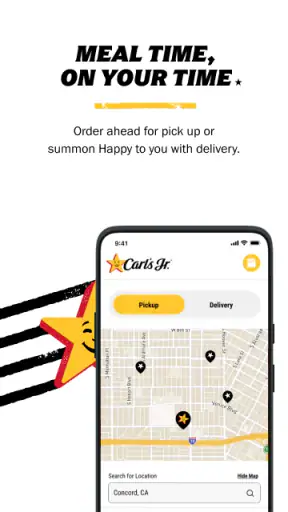
This is a free Food & Drink app from CKE Restaurants, and its main purpose is straightforward: place an order, collect points, find deals, and reduce time spent in line. The experience is aimed at people who already visit Carl's Jr. or are likely to do so regularly. If that sounds like you, the app can make repeat visits noticeably easier. If you only eat there once in a while, its usefulness depends on whether the ordering and rewards steps feel worth adding to your routine.
How the app works when several people share one meal plan
My favorite household use is the “everyone choose before we leave” routine. Instead of trying to remember several customizations at the restaurant, I can open the menu, build the order, and let the group settle on one checkout. That small change matters when different people want different meals, because it moves the discussion away from a noisy counter and gives everyone a clearer moment to check what is being ordered.
There is also a practical coordination benefit for a split household. One person can handle the order while another drives to the restaurant, or someone at home can prepare the order before the person already nearby arrives. The app does not replace communication between people, but it gives the group a shared plan: what to get, when to place it, and who is responsible for collecting it.
I would not treat it as a complete family-management tool. It is a restaurant ordering app, not a household organizer. There is no reason to assume that every person using the same phone should have access to the same account activity, and I would avoid passing around login details casually. A better routine is to decide who owns the account, who is allowed to place orders, and who checks the final basket before payment.
That boundary is especially useful when a phone is shared. A child, guest, or visiting relative may want to browse the menu, but browsing and submitting an order are very different actions. I found it sensible to keep the final checkout with the household member who knows the pickup plan and payment arrangement. That prevents an accidental order from becoming the source of an awkward conversation at the restaurant.
Setting up a shared routine without making the account confusing
The first setup is simple in concept: install the app, sign in or create an account, and become familiar with the menu and ordering flow. I would do this before a busy meal rather than in the parking lot. The useful preparation is not just technical. It is deciding whether the account belongs to one person or is being used as a shared household account, and agreeing on who confirms the order.
That distinction affects rewards as well. Points and deals are most useful when the household knows whose account is collecting them. If several people move between separate accounts without a plan, the value of the rewards system becomes harder to follow. Keeping one regular account for household orders makes the history easier to understand, while separate personal accounts may make more sense when adults pay independently.
I also recommend checking the order summary slowly before submitting it. In a group order, the most common problem is not finding the menu item; it is overlooking a change made earlier in the process. A quick review of quantities, customizations, pickup details, and the final total can save a second trip or an uncomfortable handoff. This is one of those unglamorous habits that makes the app feel much better in real use.
Another useful boundary is separating “planning” from “ordering.” A household can browse choices together and wait to submit until the driver is ready or the pickup timing is clear. That avoids placing an order too early simply because everyone has finished choosing. The app helps with the transaction, but the household still needs to coordinate the timing.
Rewards and deals are strongest for repeat visits
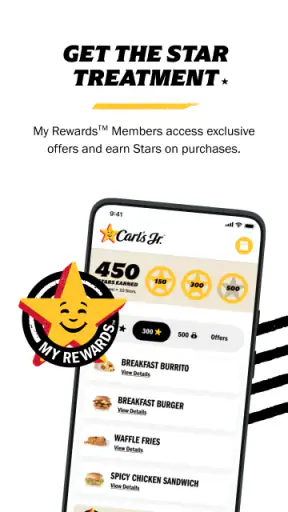
The points system gives the app a reason to remain installed after the first order. I see the most value when Carl's Jr. is already part of your normal rotation. In that case, remembering to use the app can turn an ordinary purchase into progress toward future benefits, while available deals may influence which visit is most worthwhile.
For occasional customers, the calculation is different. If you rarely visit, you may not care about building a balance, and opening the app just to compare a deal with your usual order may feel like extra work. I would not choose this app solely because it has rewards. I would choose it when the restaurant, ordering convenience, and rewards all fit the way I already eat.
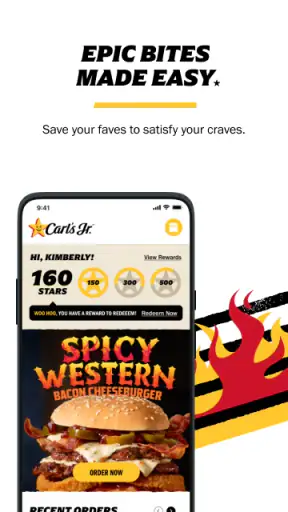
A small but important habit is checking the deal before building the whole order. That lets you decide whether the offer actually suits the group rather than discovering afterward that the household ordered around a promotion nobody wanted. Deals can be useful for one person but awkward for a family with different preferences, so I judge them by the complete meal rather than by the headline appeal of one item.
The app’s store presence reflects broad adoption: it has more than a million installs, an average rating of 4.5 from about twenty-six thousand ratings, and roughly ten thousand written reviews. Those figures suggest that many people find the core experience worthwhile, but they do not guarantee that every restaurant visit will be equally smooth. The practical quality still depends on whether the chosen location, timing, and pickup process match your plans.
What shared-device users should think about
On a household phone, the main concern is account clarity. Before handing the device to somebody else, I would make sure the right account is active and that the person understands whether they are only browsing or are expected to complete an order. This is not about adding unnecessary rules; it is about avoiding a situation where a casual menu search turns into a purchase.
Adults sharing a device may prefer one account for convenience, especially when everyone agrees that rewards should accumulate together. Other households will prefer personal accounts because each person pays separately or wants a separate record of orders. Neither approach is automatically better. The important trade-off is convenience versus clean personal boundaries.
For younger users, I would keep the app in the “choose together, submit with an adult” category. The content rating is Everyone, which makes the app broadly accessible, but an age rating does not decide who should be trusted with payment or order confirmation. A child can help compare menu choices without being the person responsible for the final transaction.
This arrangement also teaches a useful digital habit: an account is not the same thing as a menu. The menu can be shared casually; the account may contain rewards activity and ordering responsibility. Keeping those ideas separate is sensible for any household using a phone together.
Ordering compared with the usual alternatives
The traditional alternative is ordering at the counter. That remains better when you are already inside, have a question that needs immediate conversation, or do not want to manage another account. A counter order is also more natural for a spontaneous visit when nobody planned ahead. In those cases, the app may add steps instead of removing them.
Calling the restaurant can be useful for a different reason, particularly when a group has an unusual request or wants to speak directly with staff. The app is more convenient for seeing choices and organizing a standard order, but a phone conversation can feel clearer when the request does not fit a normal menu flow. I would use the app for repeatable orders and another method when the situation is unusual.
Third-party delivery services may be preferable when nobody wants to drive. That convenience comes with a different experience, since the app reviewed here is centered on ordering from Carl's Jr. rather than acting as a general delivery marketplace. If the main goal is getting food brought to the door, a delivery-focused option may fit better. If the goal is arranging pickup while earning points and using restaurant-specific deals, Carl's Jr. is the more focused choice.
The restaurant’s own app also has an advantage over a generic food app when you already know what you want from Carl's Jr. The menu, rewards, and deals belong to the same experience, so there is less need to search across unrelated restaurants. That focus is a strength, although it naturally makes the app less useful for comparing many restaurants in one place.
Everyday timing: where the app saves effort
Consider a weekday evening when one adult is finishing work and another is managing things at home. The household agrees on the meal, one person builds the order, and the person passing the restaurant collects it. The app is helpful because the order can be prepared as part of the plan instead of becoming a stop where everyone waits while choices are made.
The same workflow can work for a small group meeting at home. One person can collect the choices, check the basket, and use the account that normally earns the points. That is more reliable than asking several people to place separate orders and then trying to match bags, payments, and rewards afterward.
There is a trade-off, though: the person operating the app becomes the coordinator. If that person is distracted, the whole order can be wrong even though everyone else made their preferences clear. I recommend reading the final basket aloud or sending a screenshot through the household’s normal communication channel before submission. That is not a feature claim; it is simply the safest way to use a shared ordering process.
For pickup timing, I would avoid treating the app as a guarantee that a busy restaurant will operate exactly on schedule. Leave enough flexibility for traffic, parking, and the handoff itself. The app can reduce an avoidable line, but it cannot remove every real-world delay. That distinction is important when ordering for children, older relatives, or anyone who cannot easily wait outside.
Version, compatibility, and the practical experience
The current version is 5.6.0, and the app requires at least OS 10. That makes the device check straightforward: if the shared phone runs an older system, the issue is compatibility rather than household setup. I would update the device before a planned meal rather than discovering at the moment the group is ready to order.
Since the app is free, the decision is mainly about convenience, account handling, and how often you visit Carl's Jr. There is no purchase price to justify, but your time still matters. If opening the app, signing in, and reviewing an order feels slower than walking to the counter, the traditional method remains reasonable.
I also prefer keeping the app on the device used by the person who normally coordinates meals, rather than installing it everywhere without a plan. Multiple installations can be convenient for adults with separate routines, but they can also scatter rewards and make it unclear which account was used. For a family or shared household, one dependable ordering device is often the least confusing starting point.
The Everyone content rating makes it suitable for general household browsing, but I would still use ordinary device privacy practices. A shared phone should have a clear owner or agreed access rules, especially if it is used for payment-related actions. The app does not need to become the center of family administration; it only needs a sensible place in the meal routine.
Who should use it, and who should skip it
I recommend Carl's Jr. to regular customers who want a faster way to arrange pickup, keep restaurant rewards in one place, and check deals before ordering. It is particularly useful for households that eat together but have one person responsible for coordinating the order. The app earns its place when the same restaurant appears often enough in your routine that small conveniences add up.
I would also recommend it to someone who dislikes making a group order at the counter. Building the meal privately, reviewing it, and submitting it when the timing is right can remove pressure from a busy visit. The benefit is not dramatic every time, but it is tangible when several people are ordering at once.
I would skip it if you almost never visit Carl's Jr., prefer to choose among many restaurants, or usually need detailed conversation with staff before ordering. I would also skip making it a shared account if the adults in the household strongly prefer separate payments and separate rewards. In that case, individual routines or counter ordering may be cleaner than forcing everyone into one system.
People who want delivery above all else may be better served by a delivery marketplace. People who are already standing inside the restaurant may find the counter faster. The app is not the universal best option; it is best at a narrower job, and that job is repeat Carl's Jr. ordering with some planning around it.
My household verdict
After using it as a practical ordering tool rather than just browsing the menu, I see Carl's Jr. as a focused app that works best when one person coordinates a shared meal. Its strongest qualities are the combination of restaurant-specific ordering, points, and deals, plus the ability to prepare an order before reaching the counter. Those features are more meaningful for repeat visits than for a one-off meal.
The main friction is organizational rather than technical. A shared account needs a clear owner, a shared phone needs sensible boundaries, and every group order deserves a final review before submission. Younger household members can participate in choosing food, but an adult should remain responsible for account and payment decisions. These simple rules make the experience more predictable.
CKE Restaurants has kept the app centered on Carl's Jr. rather than trying to make it a general food platform. I think that focus is appropriate. The app will not replace every ordering method, and it should not be judged as though it were a delivery service or a family-control product. For the right household, though, it turns a familiar restaurant stop into a more coordinated routine.
My final recommendation is simple: install it if Carl's Jr. is a recurring choice and agree in advance who will manage the account. Use it to compare deals before ordering, keep group choices together, and leave enough time for the real-world pickup. If those habits fit your household, the free app is an easy convenience to keep. If they do not, the counter or a broader food service may be the better match.


